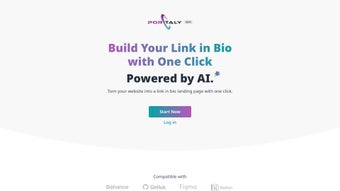

Download Portaly – AI‑Driven Link‑in‑Bio Tool for Creators & Businesses
Overview: Why Portaly Is the Modern Solution for Managing Your Online Presence
Portaly is a cloud‑based, AI‑driven web application that transforms any website or profile URL into a personalized, single‑page link‑in‑bio landing page with just one click. Designed for creators, freelancers, and small‑to‑medium businesses, Portaly consolidates social profiles, portfolios, and external links into a clean, mobile‑responsive page that can be shared across Instagram, TikTok, Twitter, and more. The platform’s core promise is to streamline content distribution while eliminating the need for coding knowledge. By leveraging a drag‑and‑drop interface, users can assemble over 20 pre‑built blocks—such as galleries, video embeds, contact forms, and analytics widgets—into a cohesive landing page that reflects their brand identity.
The AI engine behind Portaly automatically detects the source URL, pulls relevant metadata (title, description, thumbnail), and suggests the most suitable block layout. This automation reduces setup time from minutes to seconds, letting creators focus on their core work instead of fiddling with design tools. The built‑in contact form captures leads directly, while the analytics toolkit provides real‑time insights into clicks, geographic distribution, and device breakdowns. Integrations with popular platforms like Behance, GitHub, Figma, and Notion further expand the tool’s utility, making it a true hub for digital portfolios.
Portaly is offered as a free tier with optional paid upgrades for advanced analytics and custom domains. Security is a top priority; all data is transmitted over HTTPS, and the platform complies with GDPR standards. Regular updates ensure new block types and integration options are added without user intervention, keeping the tool fresh and competitive in the crowded link‑in‑bio market.
Features & Customization: What Sets Portaly Apart
- AI‑Powered One‑Click Conversion of Any URL into a Link‑in‑Bio Page
- 20+ Drag‑and‑Drop Content Blocks (gallery, video, testimonials, pricing tables, etc.)
- Built‑In Contact Form with Email Forwarding and Spam Protection
- Real‑Time Analytics Dashboard: clicks, referrals, device & location data
- Seamless Integrations: Behance, GitHub, Figma, Notion, YouTube, Spotify, and more
- Custom Branding: upload logos, choose color palettes, and set custom fonts
- Responsive Design Optimized for Desktop & Tablet Viewports
- SEO Friendly Meta Tags and Open Graph Support for Social Sharing
- Secure HTTPS Hosting with GDPR‑Compliant Data Handling
- Free Tier with Unlimited Pages, Paid Plans for Custom Domains & Advanced Metrics
Beyond the block library, Portaly’s customization engine offers granular control over layout spacing, button styles, and animation effects. Users can preview changes instantly, ensuring the final page aligns with brand guidelines before publishing. The platform’s analytics toolkit is not just a numbers dump; it visualizes trends with heatmaps and conversion funnels, helping marketers pinpoint which links drive the most traffic. For developers, an optional API provides programmatic access to page data, enabling deeper integrations with CRM or email marketing tools.
One of the most compelling aspects is the AI suggestion system. When a user pastes a URL—say a Behance portfolio—the AI auto‑populates a gallery block with the most relevant project thumbnails, reducing manual work dramatically. The same logic applies to GitHub repositories, where the tool can showcase recent commits or release notes. This level of intelligent automation distinguishes Portaly from generic link‑in‑bio creators that require manual content curation.
Installation, Usage & Compatibility: Getting Started in Minutes
Step‑by‑Step Installation
Because Portaly is a web‑based SaaS tool, there is no traditional download or installation process. Users simply visit portaly.io, click “Sign Up,” and create a free account using an email address or social login (Google, Apple). The onboarding wizard guides the user through the following steps:
- Enter the URL you wish to convert (website, portfolio, or social profile).
- Select a template or let the AI recommend a layout.
- Drag and drop additional blocks from the left‑hand sidebar.
- Customize colors, fonts, and branding assets.
- Configure the built‑in contact form (email destination, CAPTCHA, thank‑you message).
- Publish the page and copy the unique Portaly link for sharing.
Cross‑Platform Compatibility
Portaly runs entirely in modern browsers, making it compatible with Windows, macOS, Linux, ChromeOS, as well as mobile browsers on Android and iOS. While the editor UI is optimized for desktop and tablet screen sizes, the generated landing pages are fully responsive and display correctly on smartphones. However, the current version does not provide a dedicated native mobile app, which may limit offline editing capabilities.
Updates & Security
All updates are deployed server‑side, meaning users automatically benefit from new features, bug fixes, and security patches without manual intervention. Portaly employs SSL encryption for all data in transit and stores user‑generated content on secure, GDPR‑compliant servers. Regular backups protect against data loss, and two‑factor authentication (2FA) is available for premium accounts to enhance account security.
Pros, Cons, FAQ & Final Verdict
Pros
- Fast, AI‑driven page creation saves time.
- Extensive block library offers high customization without code.
- Built‑in analytics give actionable insights.
- Secure, GDPR‑compliant hosting.
- Free tier sufficient for most creators.
Cons
- Limited to 20+ pre‑configured integrations; niche platforms may be missing.
- No native mobile app for on‑the‑go editing.
- Advanced features (custom domains, premium analytics) require paid subscription.
- Responsive design is excellent on desktop but may need tweaks for complex layouts on small screens.
Frequently Asked Questions
Is Portaly really free to use?
Yes, Portaly offers a completely free tier that includes unlimited landing pages, the full block library, and basic analytics. Premium plans unlock custom domains, advanced reporting, and priority support.
Can I integrate my own custom code or third‑party widgets?
Portaly’s drag‑and‑drop builder does not currently support raw HTML or JavaScript injection. However, many popular third‑party services (e.g., Google Forms, Typeform, Calendly) are available as pre‑built blocks.
How does the AI suggestion engine work?
When you paste a URL, the AI scans the page for metadata, images, and relevant content types. It then recommends the most suitable block layout and pre‑populates fields, which you can fine‑tune before publishing.
Is there a limit to how many clicks or visitors I can track?
The free plan includes unlimited click tracking, but data retention is limited to 30 days. Premium accounts receive extended retention periods and export options.
Do I need any technical knowledge to set up a page?
No. Portaly is built for non‑technical users. The intuitive interface and AI assistance mean you can launch a professional landing page in under five minutes, even if you’ve never designed a website before.
Conclusion & Call to Action
Portaly delivers on its promise of a fast, secure, and highly customizable link‑in‑bio solution. By merging AI automation with a robust block system, it empowers creators and businesses to present a unified online identity without hiring a developer. While the lack of a native mobile app and a finite list of integrations may be drawbacks for power users, the free tier’s generous feature set makes it an excellent starting point for anyone looking to streamline their digital footprint.
If you’re ready to consolidate your online presence and gain actionable insights from a single dashboard, sign up for Portaly today. Experience the convenience of one‑click page creation, and watch your engagement metrics climb—all while keeping your data secure and your brand on point.



.png)



